Sixgree or Sixgrees? The story behind the name
Whether you type Sixgree, Sixgrees, or Six Degrees, here is why the project exists, how the name came to be, and what it means for discovering your network.
How Sixgree discovers clusters in your LinkedIn connections, balances physical force layouts, and reveals your real professional circles without manual tagging.
When you look at a spreadsheet of 1,000 professional contacts, every name looks equal. In reality, networks are not flat lists; they are dense, overlapping communities held together by shared history, past companies, and mutual circles.
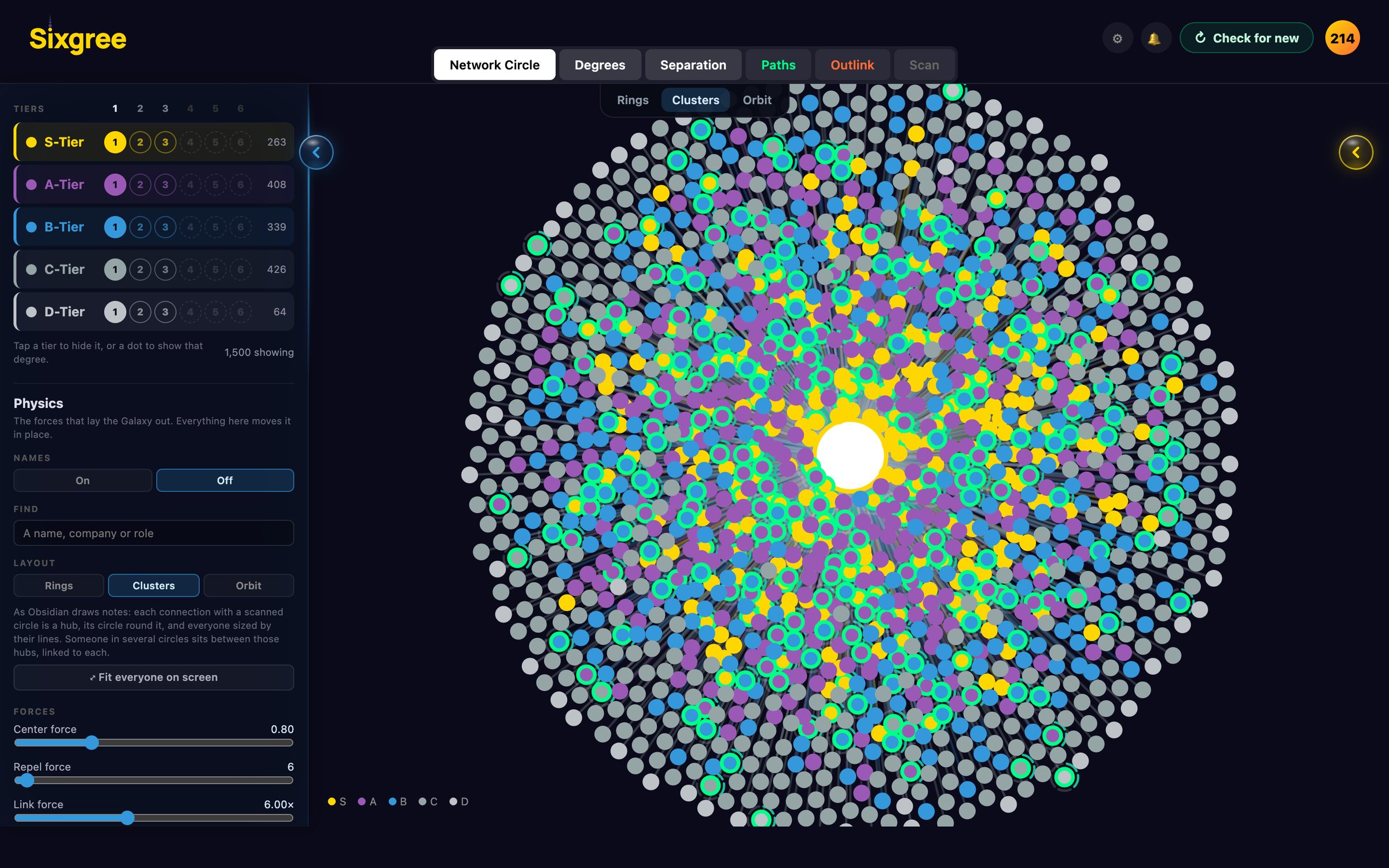
Sixgree groups your connections into clusters visually and mathematically. This guide explains how our clustering engine works, why force simulations reveal your natural groups, and how to read the clusters across your map.
A cluster (or community) is a group of people who are connected more densely to one another than to the rest of the network.
In a typical career graph, you rarely have one homogeneous network. Instead, you have distinct islands:
Sixgree detects these groups automatically, without requiring you to manually assign tags or organize folders.
Rather than rendering your connections in rigid rows or arbitrary charts, Sixgree treats your network as a physical particle system:
When the physics simulation runs, tightly interlinked groups pull inward toward a common center of gravity, naturally forming distinct visual clusters separated by empty space.
Most social graph tools upload your address book to a server to run heavy graph algorithms. Sixgree runs all community detection and physics calculations locally on your machine inside your browser or native desktop app:
Reading your clusters gives you strategic clarity that a standard search bar cannot:
You can tune link strength, repulsion, and cluster presets directly in the Galaxy's Physics Lab under the Filters panel.
Whether you type Sixgree, Sixgrees, or Six Degrees, here is why the project exists, how the name came to be, and what it means for discovering your network.
How we stress-tested LinkedIn scanning limits, analyzed session boundaries, and engineered hard stops and pacing to protect your account.
Download your LinkedIn connections as a CSV from LinkedIn's own settings, on Mac, Windows or iPhone, what the file contains and what it leaves out, and how to see the people in it as a map with tiers.