Where your network lives: the Map, and who gets you there
The Map tab puts your network on a world map, matched on your own computer against GeoNames cities. Pick a city to see which connections reach people there, or pick a connection to see where their circle lives.
5 min readBy Blake Burford
Many questions about a network have a place in them. Who do I know in Austin? I'm moving to London: who could I meet there? A list of connections can't answer those well. A map can.
Since 2.2.0, Sixgree has a Map tab beside Network Circle, Degrees and Separation. This post explains where its places come from, what it does with them, and what it can't tell you.
Places, matched offline
Everyone goes on the map by the location their profile shows. One dot per place, sized by how many people are there and split like a pie by their tiers or degrees. Click a place to see who's there, and a person to open their card.
The matching happens entirely on your computer. Sixgree ships with a list of places built from GeoNames: every city of 15,000 people or more, about 34,000 of them, with their regions and countries. Since 2.3.0 that list replaced an older one of about 300, so far more people land on their own city instead of the middle of their region. Nothing is looked up online: the world map and the places are files inside the app, the same way everything else stays local.
It reads the forms profiles actually use:
City, Region, Country, where a known region is strict: Springfield, Illinois is never the one in Massachusetts;
the platform's metro forms, like "Greater Seattle Area", "London Area, United Kingdom" or "San Francisco Bay Area";
a country or region alone, which goes to its middle and is marked approximate with a dashed ring.
Anything it can't place, like "Remote" or "Planet Earth", is counted and listed, never guessed. The panel at the bottom left says how many people have no location yet, and which locations it didn't recognise. The top of the map counts who is placed: in the sample network that ships with the app, 676 of 748 located.
Where the locations come from
A Connections.csv export has no locations, so an import of one leaves them empty. Locations come from the optional scanner plugins, in two ways:
From list cards during scans. Each card in a list shows where someone is, and since 2.2.0 a scan keeps it: in a circle's list, by hand or by itself, in a company's people, and in your own connections when their cards show it. Only a line that reads as a place is kept, and a scan that shows none never clears one already read.
From your own connections' search. Your connections list never shows where anyone is, but the platform's search of them does, along with how many mutual connections you share. Add locations and mutuals, under Your connections on the Scan page, reads that search page by page. Each page is a search counted in your daily limit, so about 100 pages for 1,000 connections spreads over days. The platform's search shows 1,000 people at most, so a larger network is read that far.
Both are scanning, with the same risk as any scan. If you haven't read it yet, is scanning against the rules? says plainly what that risk is.
Who gets you here
Pick a place, and its list gains a section called Who gets you here: the connections of yours whose circles include 2nd-degree people in that place, most first. Lines run from where each of them lives to the place you picked, as thick as how many people they reach there. Each has Who they can introduce, which opens Separation filtered to that connection's circle.
In the sample network, Austin has 22 people two steps away, reached through 10 of your connections. The first is Bodhi Pereira, who reaches four of them, two of tier S. Bodhi's own location isn't known, so the list names them but draws no line, and says so. A person known by two of your connections counts under both, since either could introduce you, and once in the total.
That's the question the tab was built for. It works the same way Separation ranks your ways in, narrowed to one city.
Through whom
Turn it around. Pick one of your connections, with Reach in a place's list, the finder, or the button that shows while their card is open, and lines run from where they live to every place their circle lives. Click a line's end to see who's there.
In the sample, Bodhi's circle of 69 spreads across 28 places, most in San Francisco, New York City and Chicago.
From you, off to start, draws faint lines from home to your connections' places. Sixgree doesn't know where you are: you pick home with Make this home, or it guesses from where most of your connections are and says it's a guess.
Narrowing it down
The finder takes a person, a company or a place. Type words and press Enter to keep only people with those words in their name, company, title or headline, so founder shows where the founders you know are. Declutter hides places with fewer than N people, or fewer than N of tier S or A, and Heat shades where the network is thickest.
What people use it for
Travel. Before a trip, pick the city and see who you already know there, and who could introduce you to whom.
Relocating. A new city goes better with a few warm conversations. Who gets you here lists the people who could start them.
Hiring in a city. Filter by a title word, pick the city, and see which connections reach those people.
Finding an intro in Austin, or anywhere: pick the place, read the list, and use Who they can introduce. Then write the request yourself, with a message your connection can forward.
What it can't tell you
A dot says where a profile says someone is, which may be out of date, and a missing dot may mean missing data, not that nobody's there. The map only knows the circles you've mapped, so a city with no lines may simply be a city you haven't scanned toward. And a line is a possible route, not a promise: whether someone is happy to introduce you is still a human question.
Credit
The places come from GeoNames, under the CC BY 4.0 licence, and the country outlines from Natural Earth, in the public domain. The Map credits both at its bottom right. How the matching works, step by step, is in docs/PLACES.md.
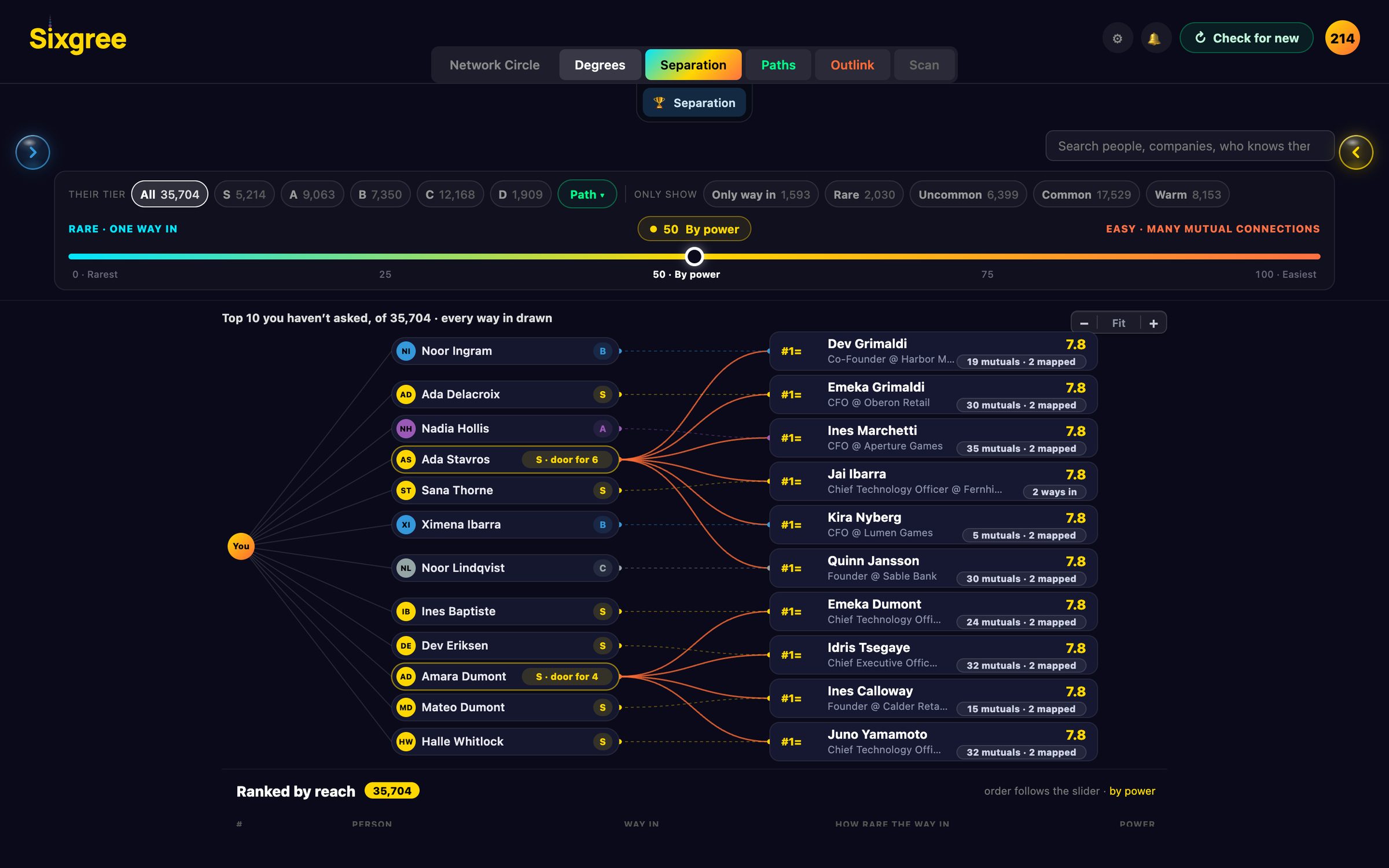
Separation, on an invented network. The Map asks the same question by place.
The desktop app can now show the platform in a panel inside Sixgree's own window, with your network in a sidebar. What the browser plugin does, what counts as a profile view, and the trade-offs, including a local debugging connection.
In our own testing, roughly the same number of search pages led to a restriction at about 4 seconds apart and to nothing at about 50. Here's what that taught us, and why scanning by hand now takes a 20-second break every 10 pages.
Why degree centrality fails on professional networks, how triadic closure creates an 80% acceptance surge, and how transitive trust collapses social distance.