In our own testing, roughly the same number of search pages led to a restriction at about 4 seconds apart and to nothing at about 50. Here's what that taught us, and why scanning by hand now takes a 20-second break every 10 pages.
4 min readBy Blake Burford
Short version: how fast you move through pages of search results seems to matter more than how many pages you read. So since 2.5.0, scanning by hand takes a 20-second break after every 10 pages, and the next page can't load early.
This post explains why, using what happened in our own testing. It's evidence, not proof. The platform doesn't publish its limits, and nothing here makes scanning safe.
What the platform sees when you page through results
Every page of someone's connections is a people search on the platform. Whether you click Next yourself or the scanner reads the page, the platform sees the same thing: a request for the next page of results, from your account, at a certain moment.
It can count those requests, and it can see the gaps between them. A person reading a list stops to look at names, opens one, comes back. Pages that arrive a few seconds apart, one after another, for hundreds of pages, don't look like that, whoever is doing the clicking.
That last part surprised us. We'd assumed that reading by hand, in a window you drive yourself, was the gentle option. It's gentler in some ways: nothing clicks for you. But the platform doesn't see your hand. It sees the pace.
What happened in our own testing
Three days of testing on our own accounts, all reading search pages:
Pages
Gap between pages
What happened
About 300 in a day
Roughly 4 seconds
A restriction
About 290
Roughly 50 seconds
Nothing
70, by hand
About 3 seconds
A warning about viewing a lot of data; no restriction
The first two rows are the ones that changed our thinking. The number of pages was close. The pace was more than ten times different, and so was the outcome.
The third row was a short session by hand: 70 pages in under ten minutes. The platform showed a warning about going through a lot of data. Nothing was restricted, but a warning is the platform asking you to slow down, and after a warning, the right move is to stop for a day.
Three days are not a study. We can't say which signal the platform acted on, other things may have mattered too, and the same pace may be treated differently on another account or another day. What we can say is that in every case we have, fast pages went with trouble and slow pages didn't.
What changed: breaks by hand
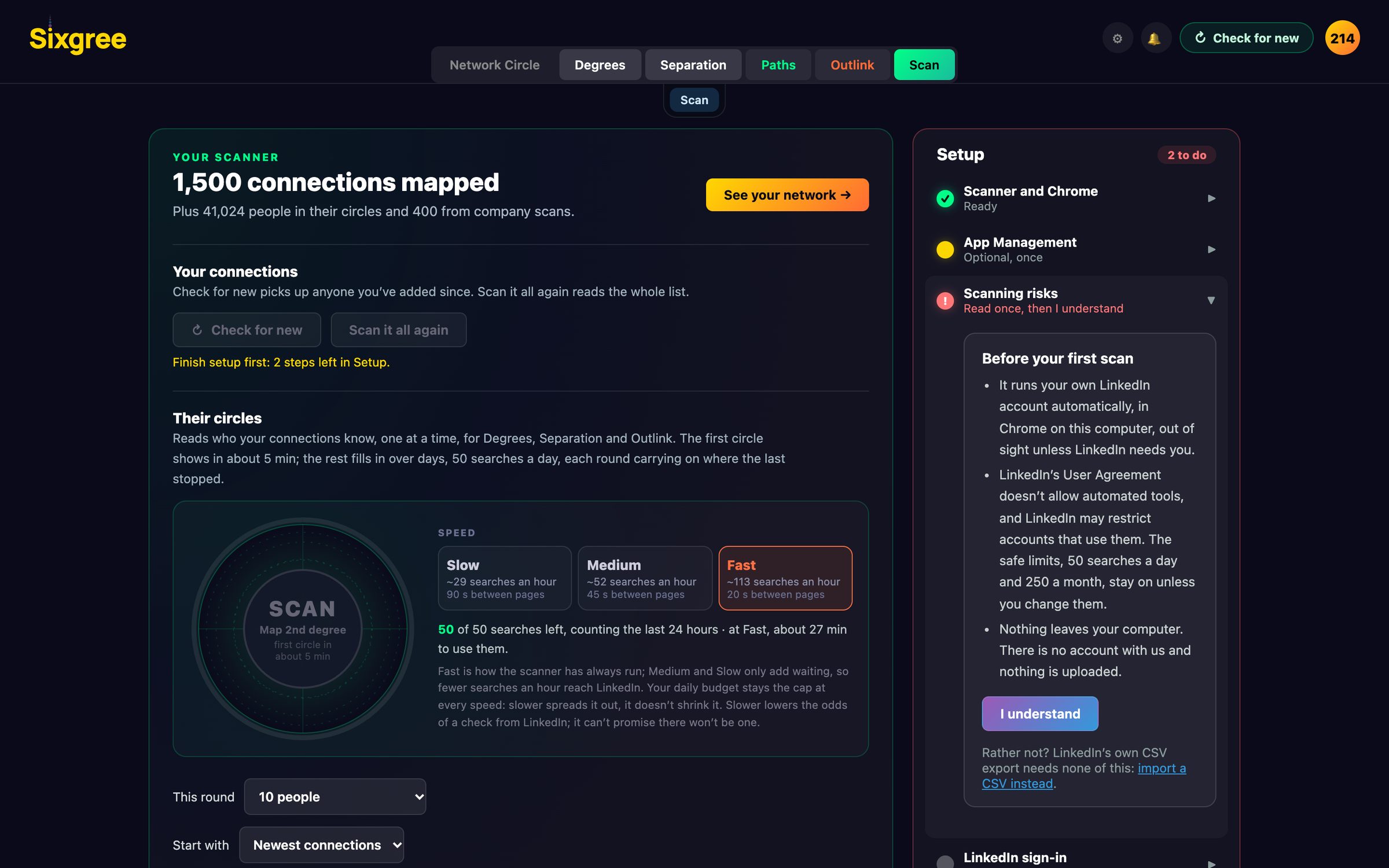
Automatic scans already wait between pages, with longer rests on top, as Scanning slowly and safely describes. Those are unchanged. Scanning by hand had no waits at all, because you set the pace. Now it has one.
With the scanner plugins at 1.0.6, after every 10 pages you read by hand, the next page waits 20 seconds:
You can see it. A clear layer over the page shows the countdown, and the scan light at the top right turns yellow and says so: Break: 14 s, then page 21.
You can hear it. A quiet tick plays each second, at the chimes' volume. Turn the chimes off and it's silent.
It holds. The layer takes the clicks on Next and the page numbers, so they do nothing during the break. A page asked for any other way, from the address bar, say, waits and loads when the break ends.
You can change it. Both numbers are in Scanner settings, under How circle scans run: a break every 1 to 25 pages, for 10 to 300 seconds. A change reaches a scan already under way.
It works the same in a Chrome window and in the panel inside the desktop app. Stop, or closing the window, ends a break within a second.
Twenty seconds every ten pages is a small cost. It doesn't turn 3-second pages into 50-second pages. What it does is break up the long, unbroken runs of fast pages that came before both the warning and the restriction. If you want more margin, raise it: a break every 5 pages, or a minute instead of 20 seconds, costs you a little time and nothing else.
Slower is safer, not safe
It's worth saying plainly what this doesn't do:
It doesn't make scanning allowed. Automated access is against the platform's terms, and reading by hand through the scanner is still the scanner reading.
It doesn't guarantee anything. Slower lowers the odds of a warning or a restriction. It can't promise there won't be one.
It isn't the only limit. Your daily search budget still applies, the scanner still stops at the first push-back, and free accounts still meet the monthly search limit.
If you'd rather carry no risk at all, the official Connections.csv export never touches scanning. It's a file you download from the platform's own settings and import on your own computer. It won't show who your connections know, but it shows everyone you know, as a map, with nothing sent anywhere. Here's how to export it, and how to read it in Sixgree.
What we'd suggest
If you scan by hand:
Keep the breaks on, at least at the defaults.
Don't race the countdown. Read the names on the page; that's the point of the scan anyway.
Spread a big list over days rather than one sitting.
If the platform warns you, stop, and come back the next day with a short round.
The desktop app can now show the platform in a panel inside Sixgree's own window, with your network in a sidebar. What the browser plugin does, what counts as a profile view, and the trade-offs, including a local debugging connection.
The Map tab puts your network on a world map, matched on your own computer against GeoNames cities. Pick a city to see which connections reach people there, or pick a connection to see where their circle lives.
Why degree centrality fails on professional networks, how triadic closure creates an 80% acceptance surge, and how transitive trust collapses social distance.