Local-first: why Sixgree has no account, no server and no telemetry
Sixgree keeps your network in one folder on your own computer. What that means in practice, what the app contacts and when, and the protections that come with running on localhost.
The Galaxy is a force simulation. The physics lab hands you its controls: what each slider does, the Clusters preset, colour by, find, and a replay of your network by the day you connected that you can save as a video.
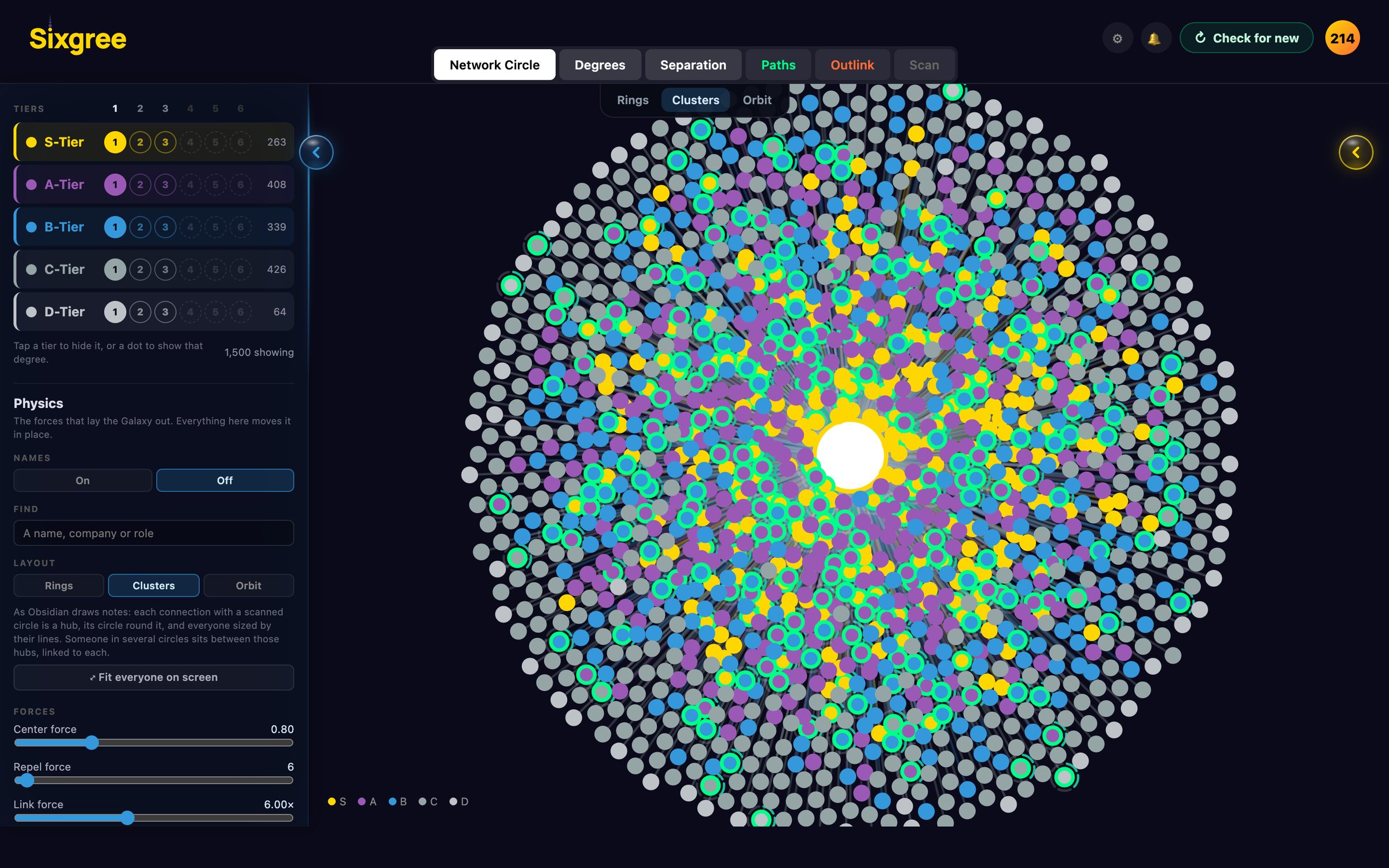
The Galaxy is the first thing Sixgree shows you: you in the middle, your connections on rings around you, the ones who can open the most doors closest in. It's drawn by a force simulation, the same idea behind graph views in tools like Obsidian: every dot pushes the others away, lines pull connected dots together, and the picture settles where the forces balance.
The physics lab hands you the controls. It's experimental, and it lives in the Galaxy's Filters panel, under Physics.
Five sliders set how the Galaxy lays itself out, under the names Obsidian gives its graph's forces:
A sixth, Orbit, sets the whole map slowly turning round you, every circle with it, so nothing loses its shape. At 0 it holds still.
Two more set the look: node size and link thickness. Dots can be sized by power score, by their lines, or by how many people hang off them, and names can show for the hubs, the S tier and catalysts only, or for all your connections. A Names switch in Filters turns them off altogether.
Everything moves the Galaxy in place, and Reset to today's layout puts it back.
Layout picks Rings, Orbit or Clusters, the fastest way to see the lab do something. Clusters draws your network the way Obsidian draws a graph: it lets the rings go (Rings 0), sets Center force 0.8, Repel force 6, Link force 6× and Link distance 0.15×, and sizes dots by their lines. Each connection with a scanned circle becomes a big hub with their circle round them, anyone in two circles ties them together, and your network turns from rings into neighbourhoods.
Tick Light up a branch on hover and hovering a dot lights up its branch: everyone behind it, and the chain back to you. The rest dims.
Colour by repaints the Galaxy five ways, each with a legend:
Find takes a name, a company or a role from two letters. Everyone who matches lights up and the rest dim; Enter flies to the best match and opens their card.
Replay plays your network growing. Each connection appears on the day you connected, and their circle arrives with them. There's a time slider, a length of 5 seconds, 15 (the default), 30 or a minute, and Loop. If you've read LinkedIn's export in Messages & follow-ups, your job starts are marked along the timeline in gold and your posts in blue, and the job you were at shows as the replay passes each date.
The replay needs "connected on" dates, which come from a scan or from LinkedIn's own export. The invented sample network has none, so there's nothing to replay until you bring your own network in.
Beside Save a picture, the lab reminds you that it shows real names, so check it before you post it. Nothing leaves your computer unless you share the file yourself.
Because rings are a good first picture and a poor only picture. Letting the rings go shows who gathers people around them. Colouring by company shows where your network clusters. And the replay shows something no list can: how your network grew, and which chapters of your working life it came from.
The layout code is in lib/galaxy-lab.js, with its tests.
Sixgree keeps your network in one folder on your own computer. What that means in practice, what the app contacts and when, and the protections that come with running on localhost.
How the optional Sixgree scanner paces itself, the daily and monthly budgets it keeps to, why it stops at the first push-back, and what the risk to your LinkedIn account really is.
How Sixgree ranks everyone two steps away, counts every way in, and finds the people only one of your connections can reach, with the formulas, and the invented sample network as the example.